Patching OPNsense for PHP2Shell
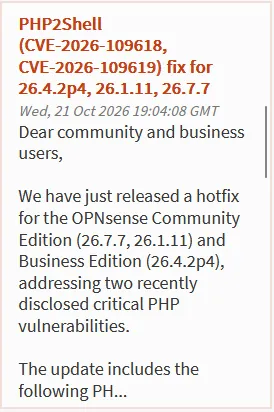
In October 2026, two critical PHP vulnerabilities, known as PHP2Shell, were disclosed. OPNsense’s web interface runs on PHP. My firewall hadn’t been updated in 65 days.
| Problem | Critical PHP flaws on the device that protects my whole network |
| Approach | Verify the fix is really in the update, back up, patch, verify again |
| Outcome | OPNsense 26.1.2_5 → 26.1.11_10, PHP 8.3.30 → 8.3.36, about 5 minutes start to finish |
Patch my OPNsense firewall against PHP2Shell, and be able to prove the vulnerable component was fixed, not just that the version number changed.
Background: what is PHP2Shell?
Section titled “Background: what is PHP2Shell?”PHP2Shell is the name for two flaws in PHP disclosed on October 21, 2026:
- CVE-2026-109618: can be chained into remote code execution as the web server’s user.
- CVE-2026-109619: a stale global state issue.
The PHP project fixed both in PHP 8.5.12, 8.4.27, 8.3.36, and 8.2.35.
Why it matters for OPNsense: the web GUI runs on PHP. Anyone who can reach the login page is a potential attacker. On a typical home network, that includes every device on the inside, compromised or not.
Step 1: Spot the problem
Section titled “Step 1: Spot the problem”The OPNsense dashboard has an Announcements widget. That’s where I first saw the hotfix notice.
The System Information card showed I was well behind:
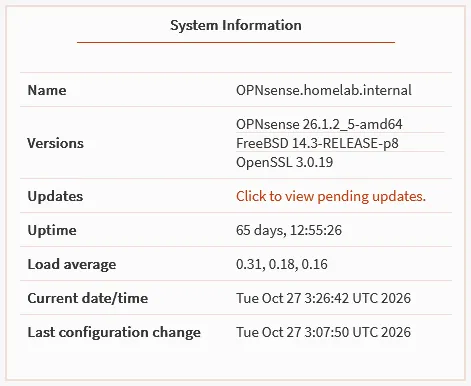
My firewall had been up for 65 days without an update. A long uptime looks nice, but it also means no patches.
Step 2: Check what the update actually contains
Section titled “Step 2: Check what the update actually contains”System → Firmware → Status → Check for updates offered:
| Package | Installed | Offered |
|---|---|---|
opnsense |
26.1.2_5 | 26.1.11_10 |



Don’t trust the version number
Section titled “Don’t trust the version number”Here’s the catch. My sources didn’t agree:
- The dashboard announcement listed 26.1.11 as fixed.
- The main OPNsense forum thread only named 26.7.7 and 26.4.2p3.
- A forum user on 26.1.11_10 asked whether the fix had been backported to 26.1.x.
- 26.1.11 also fixed a different CVE (CVE-2026-58394), so “26.1.11 fixes a CVE” didn’t necessarily mean this CVE.
So I checked the component that’s actually vulnerable: the PHP package in the same update list.
| Package | Installed | Offered |
|---|---|---|
php83 |
8.3.30 | 8.3.36 ✅ |

8.3.36 is one of the fixed PHP versions. The fix was in the update.
Step 3: Back up before changing anything
Section titled “Step 3: Back up before changing anything”System → Configuration → Backups → Download configuration, with
Encrypt this configuration file checked. OPNsense named the file with
the hostname and a UTC timestamp: config-<hostname>-20261027053129.xml.
If the update had broken something, this file restores every setting on a fresh install. I keep it outside any git repo, encrypted, with the password written down offline.
For the long term, I’m setting up automatic, version-controlled backups to a private GitHub repo. That guide is coming soon.
Step 4: Patch
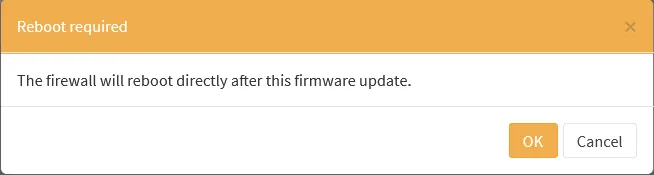
Section titled “Step 4: Patch”System → Firmware → Status → Update. OPNsense warned up front that the firewall would reboot as soon as the update finished:
The update log scrolled through 122 package downloads. The php83-*
packages at 8.3.36 were in the list:
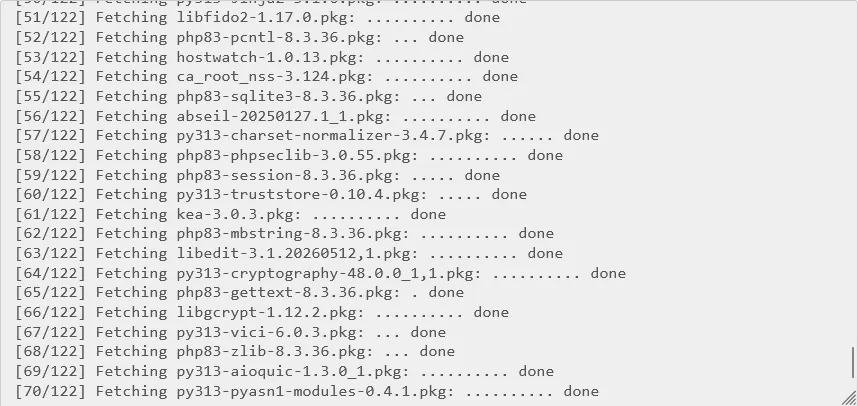
More of the update log
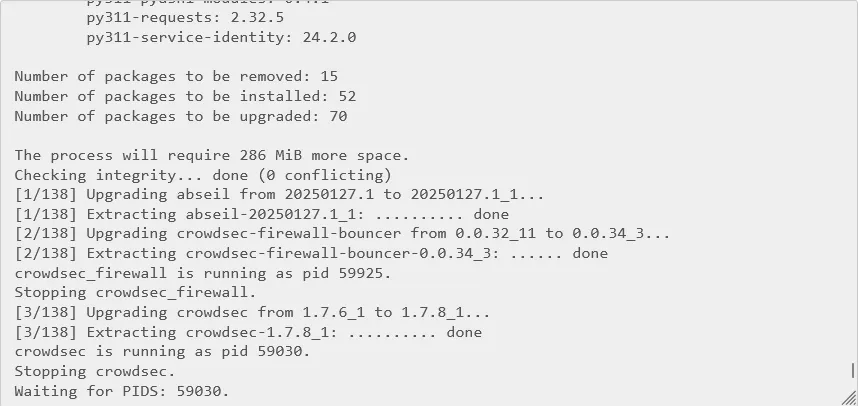
The package summary: 15 removed, 52 installed, 70 upgraded. Services such as CrowdSec were stopped and restarted as their packages were replaced.
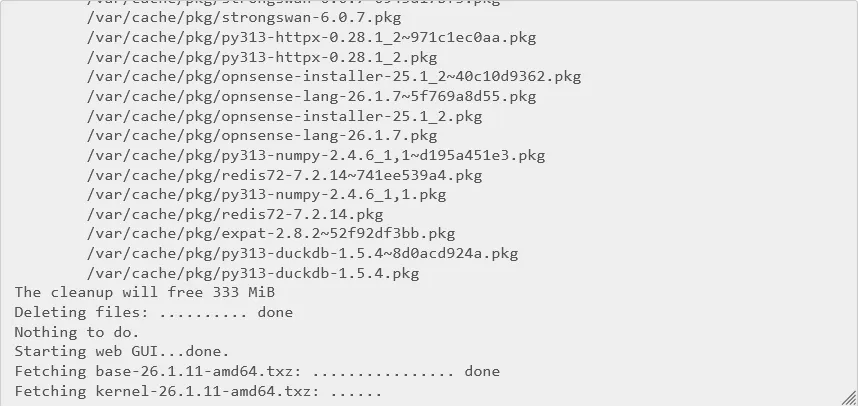
After the packages, it fetched the FreeBSD base system and kernel for 26.1.11:
Then it rebooted on its own:

| Time (UTC) | Event |
|---|---|
| 05:31 | Encrypted backup downloaded |
| ~05:33 | Update started |
| 05:35 | Packages done, reboot started |
| 05:37 | Firewall back up |
About 5 minutes from clicking Update to a working GUI, and roughly 60 seconds of actual network downtime during the reboot.
Step 5: Verify
Section titled “Step 5: Verify”Patching isn’t done until it’s verified.
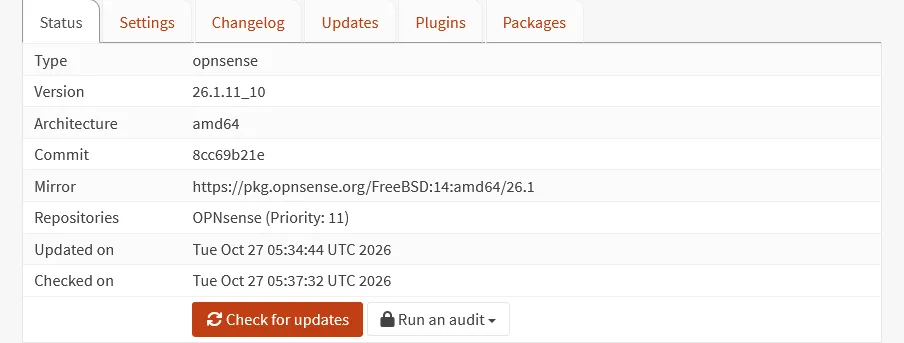
System → Firmware → Status after the reboot:
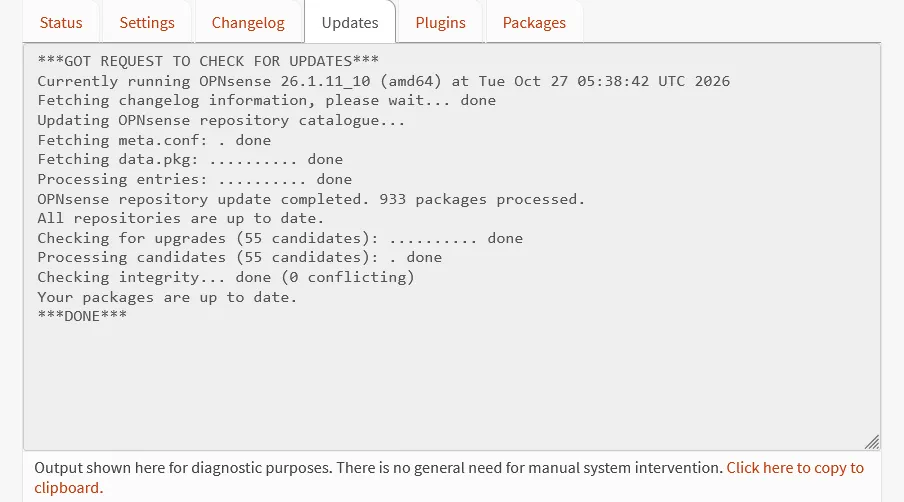
A fresh Check for updates confirmed nothing was left on the 26.1 branch:
| Check | Where | Expected | Result |
|---|---|---|---|
| OPNsense version | System → Firmware → Status | 26.1.11_10 | ✅ 26.1.11_10 |
| Pending updates | Check for updates | Up to date | ✅ Up to date |
| PHP version | System → Firmware → Packages, search php83 |
8.3.36 | ✅ 8.3.36 |
| Services running | Dashboard → Services widget | All green | ✅ |
| DNS and internet | nslookup example.com from a client |
Resolves | ✅ |
The log showed 8.3.36 being downloaded. The package list shows it’s actually installed, which is the claim this whole page rests on:

Step 6: Reduce exposure for next time
Section titled “Step 6: Reduce exposure for next time”Patching fixes this bug. The next one will have the same opening: any device on my network can reach the firewall’s login page, including the lab VMs I deliberately treat as untrusted.
System → Settings → Administration → Listen Interfaces controls which interfaces the GUI answers on. I changed it from all interfaces to LAN only:

The catch: “listen on LAN” isn’t “only reachable from LAN”
Section titled “The catch: “listen on LAN” isn’t “only reachable from LAN””Listen Interfaces controls which IP address the GUI binds to. It doesn’t control who can route to that address. A Lab device can no longer reach the GUI on the Lab gateway address, but it can still try the firewall’s LAN address. If the Lab firewall rules allow traffic to it, the GUI is still reachable.
So the real test is from a Lab machine, against both addresses:
# From a Lab VM (Kali, in my case). 000 = no connection, which is what we want.curl -sk -o /dev/null -w '%{http_code}\n' --max-time 5 https://<lab-gateway-ip>curl -sk -o /dev/null -w '%{http_code}\n' --max-time 5 https://<firewall-lan-ip>The LAN address answered with 200: the login page loaded from my Kali VM on the Lab network. Listen Interfaces had moved the GUI off the Lab address, but nothing stopped the Lab from routing to the LAN address.

The fix: a firewall rule, not a setting
Section titled “The fix: a firewall rule, not a setting”Listen Interfaces decides where a service runs. Deciding who can reach it is the firewall’s job. I added a rule on the Lab interface that blocks Lab devices from the firewall’s management ports, on every firewall address:
| Field | Value |
|---|---|
| Action | Block |
| Interface | Lab |
| Protocol | TCP |
| Source | Lab net |
| Destination | This Firewall |
| Destination ports | 22, 80, 443 (SSH and the web GUI) |
| Position | Top of the Lab rules |
I used a port alias (FW_Mgmt_Ports = 22, 80, 443) so the rule stays
readable and the port list lives in one place:

Then I ran the same test again from Kali:

| Test from Kali (Lab) | Before the rule | After the rule |
|---|---|---|
| GUI on Lab gateway address | Not tested | 000 blocked |
| GUI on firewall LAN address | 200 reachable |
000 blocked |
000 means curl never got a response. The Block rule drops the packets
silently, so the connection just times out.
The rule didn’t break anything the Lab legitimately needs. DNS through the firewall still works from Kali:
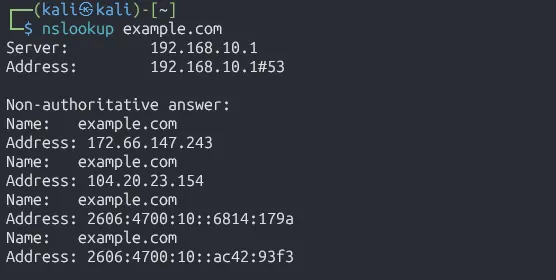
The GUI still opens normally from my LAN PC.
The rule covers SSH (port 22) as well as the GUI. SSH also has its own Listen Interfaces setting under System → Settings → Administration → Secure Shell, worth setting to LAN for the same reason.
Next steps
Section titled “Next steps”Once 26.1 was fully patched, OPNsense offered the next major release, 26.7 (1.2 GiB, reboot required):
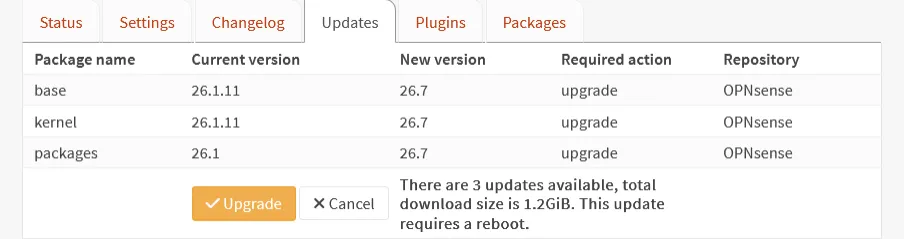
I’m holding that until my automated Git backup is working, so a major upgrade has a versioned restore point behind it. 26.1.11 already contains the PHP2Shell fix, so there’s no security reason to rush it.
Lessons
Section titled “Lessons”Sources will conflict, so check the component
Section titled “Sources will conflict, so check the component”The official dashboard announcement listed 26.1.11 as fixed. The main forum thread only named 26.7.7 and 26.4.2p3. A forum user on the exact version I was about to install was asking whether the fix had been backported. And 26.1.11 fixed a different CVE too, so “26.1.11 fixes a CVE” wasn’t proof of anything.
I could have spent an hour reading threads. Instead, the answer was one row in
the update list: php83 8.3.30 → 8.3.36. When a vulnerability lives in a
component, the component’s version is the source of truth. Next time a CVE
drops, that’s the first thing I’ll check.
Patching was easier than I expected
Section titled “Patching was easier than I expected”I assumed a 124-package update that included a new kernel would mean a long outage. It was about 5 minutes from clicking Update to a working GUI, and roughly 60 seconds of actual network downtime during the reboot.
That’s the real lesson. My firewall went 65 days without patches, and the reason wasn’t technical. I expected it to be disruptive, so I put it off. Now that I know what it costs, a regular update window is easy to justify.